The Studiocode XML Edit List is a file that includes the most complete report of coded and annotated data from a Studiocode movie package. Although XML is a standard format that is widely utilized by many software solutions, it maybe more advantageous to view this data in the form of a .csv table that can be opened in Excel or analogous software.
In order to view the Studiocode XML Edit List in a .csv file, please follow the directions below.
1. Go to the XML-to-CSV Converter site, here. (COMMAND+d to bookmark)
2. Single click on Choose File
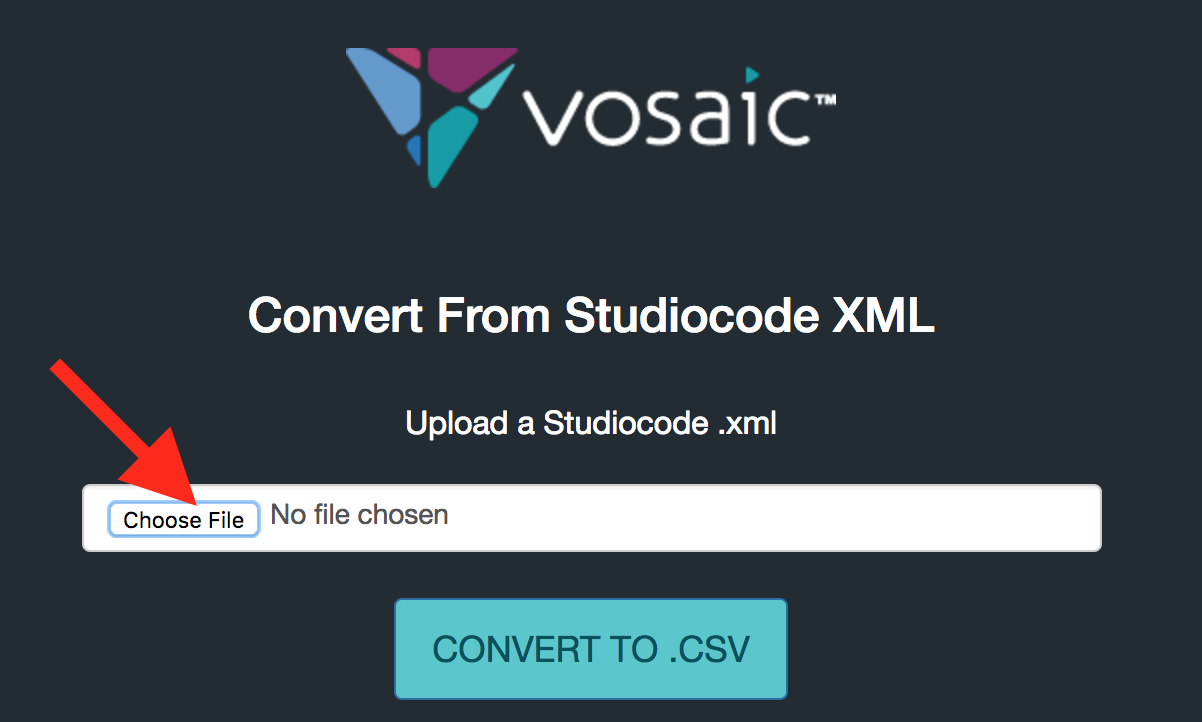
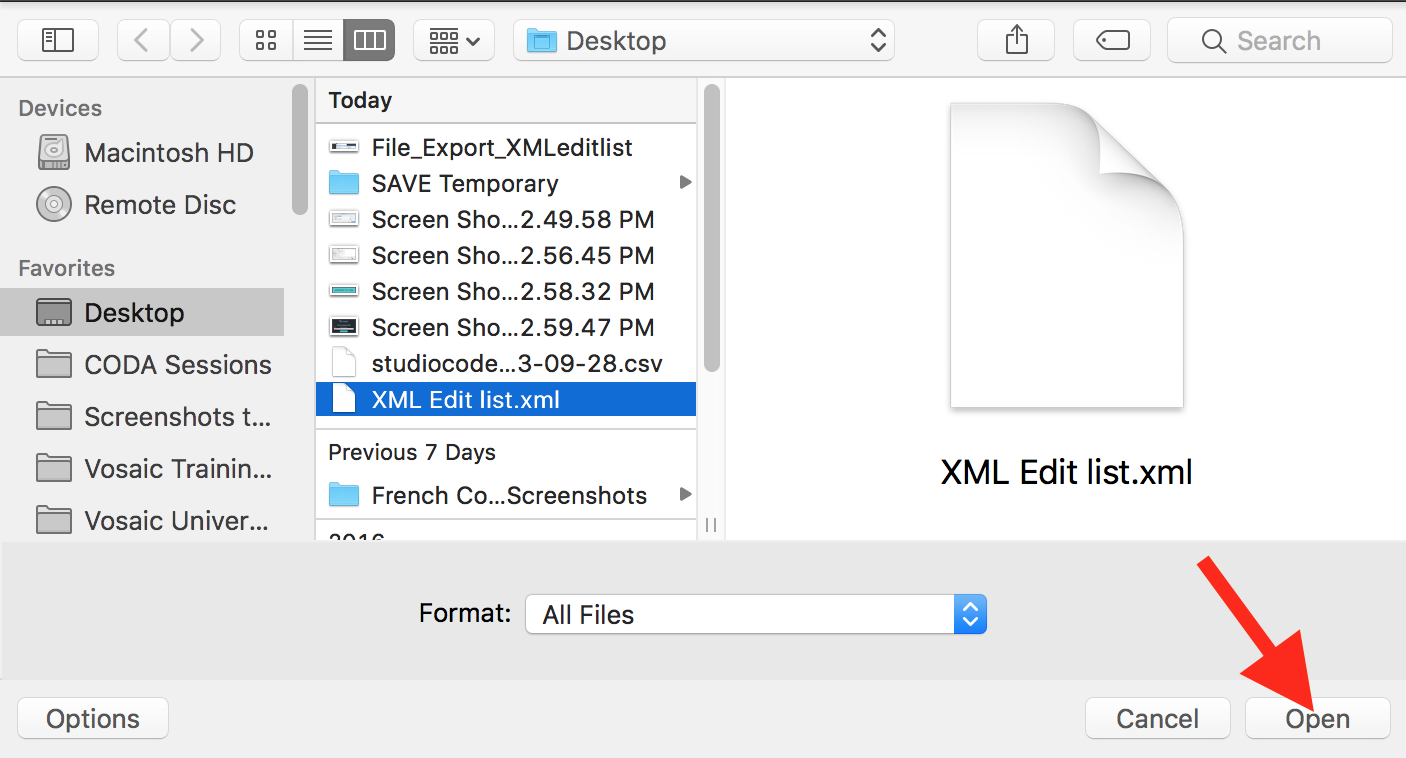
3. In the window that opens, single click on the desired XML and click Open.
4. Single click on CONVERT TO .CSV
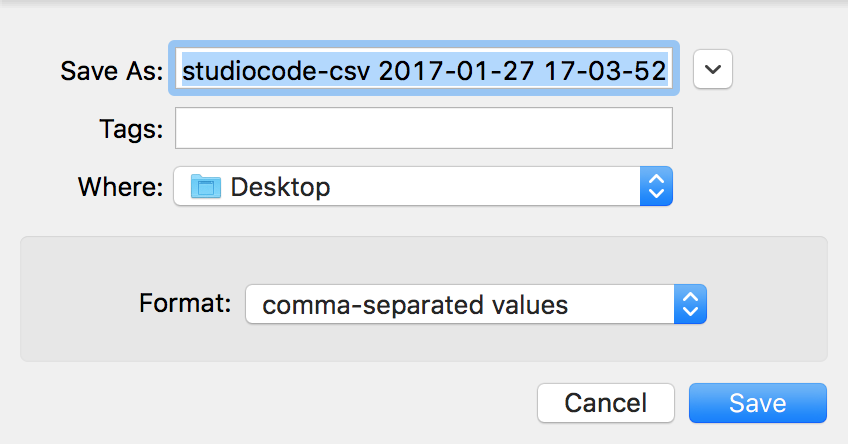
5. Name the file as desired, choose the destination and click Save.
Note: The default name given to the .csv is studiocode-csv followed by the date and time stamp in the following format: YYYY-MM-DD HH-mm-SS
HH is displayed in a twenty-four hour format.
MM = months
mm = minutes
6. Open the saved file in any .csv-compatible software.
If opened in Excel, the .csv will be formatted as depicted below.
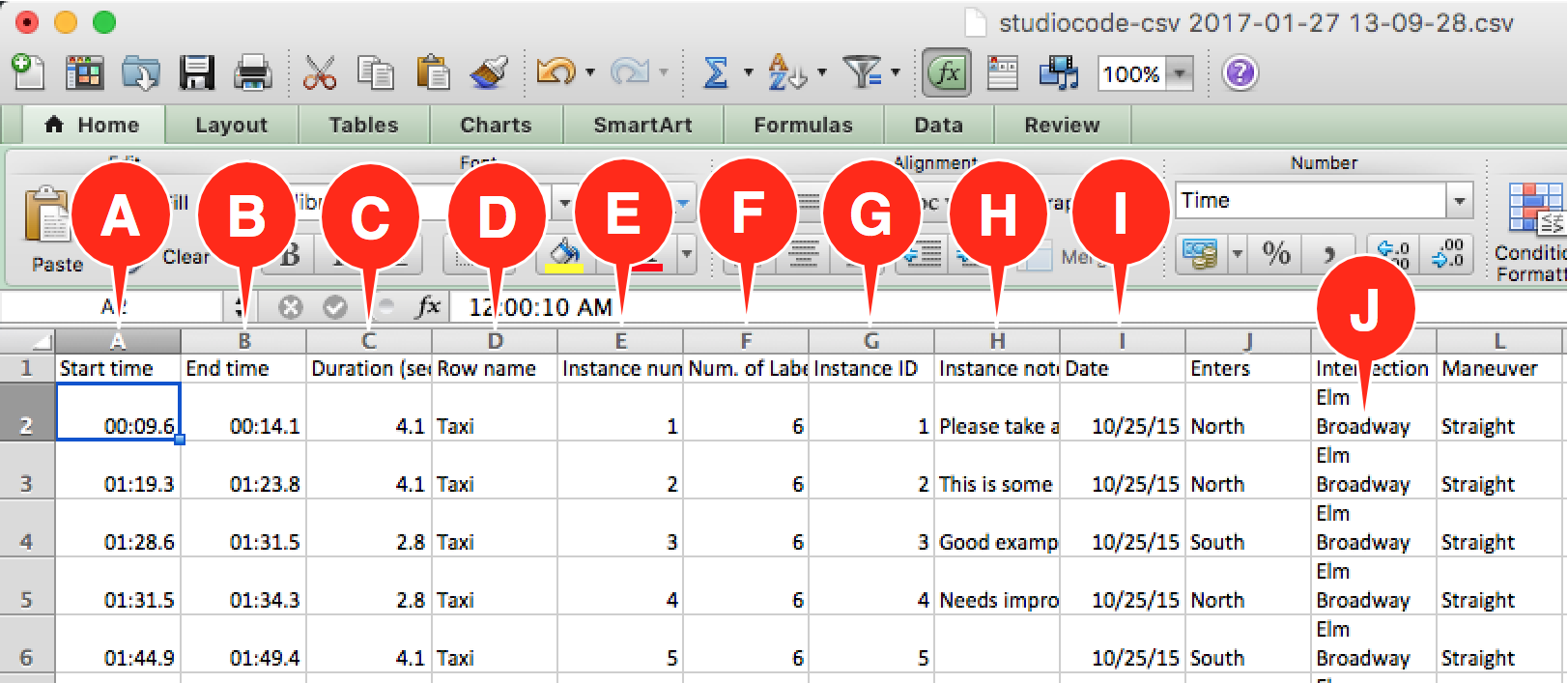
Each row below the column headers represent an instance. The following is a list of the data points that will be displayed for each instance.
A: Start time of the instance in timer format relative to the zero point on the timeline. HH:MM:SS.t (tenths of a second)
B: End time of the instance in timer format relative to the zero point on the timeline. HH:MM:SS.t (tenths of a second)
C: Duration of the instance in seconds. SSSSSSSS.t (tenths of a second).
D: Row name (e.g. Code).
E: Chronological instance number for the given row the instance belongs to.
F: Number of Labels from all Groups that exist on the instance.
G: Unique ID number (no two instances have the same ID).
H: Any annotation in the form of Text or Transcription.
I: Groups correspond to column headers for Columns I and beyond. Labels are nested in the appropriate Group columns. Group columns are arranged alphabetically (left to right) by Group name.
J: If there are multiple Labels in a given Group on an instance, the Labels will be listed in the same cell, separated by a carriage return.
Learn how to export an XML Edit List here.